
Click-to-WhatsApp Ads: When They Beat Lead Forms (and How to Make Them Work)

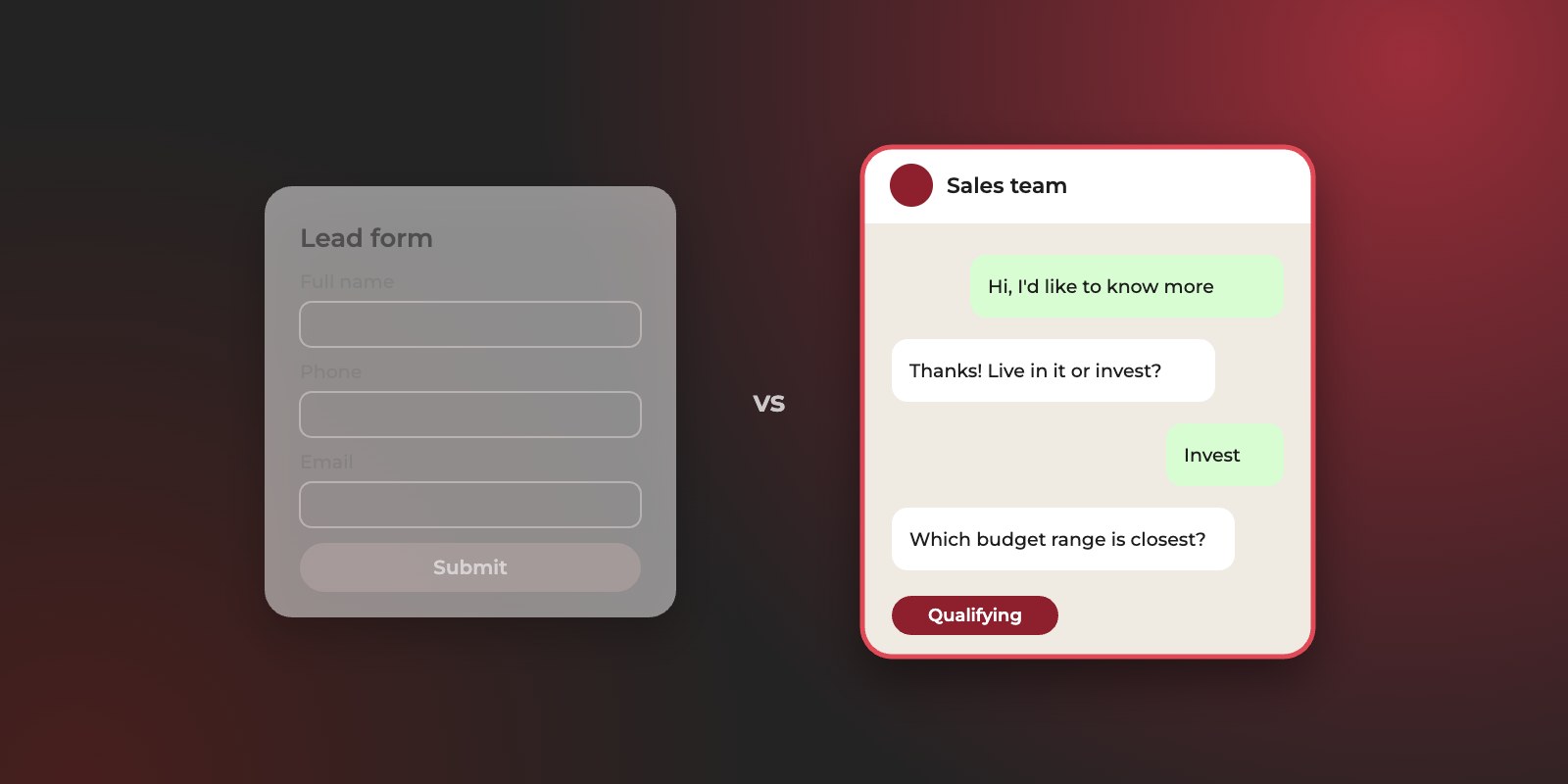
Click-to-WhatsApp ads open a WhatsApp chat with your business instead of a form. They usually beat lead forms when your buyers prefer to ask a question before sharing their details, and when your team can reply within minutes. Lead forms usually win when you need the same qualifying answers from every lead, or can’t staff replies quickly.
In the UAE and the wider GCC, WhatsApp is often where buying conversations already happen, so these ads can feel more natural than a form. But a chat is only as good as the reply it gets. A WhatsApp lead left waiting for hours can go cold as quickly as a form lead nobody calls.
This guide explains how click-to-WhatsApp ads work, when to use them instead of Meta’s lead forms, how to set them up and qualify the conversations, and how to track which ads bring the leads your sales team closes.
What are click-to-WhatsApp ads?
They’re Facebook and Instagram ads with a button that opens a WhatsApp chat with your business, usually with a message already typed for the person to send. According to WhatsApp, they can run in Facebook and Instagram feeds, Stories and Marketplace.
The journey is short:
- 01TapSomeone sees your ad and taps the button.
- 02Pre-filled messageWhatsApp opens with a message such as “Hi, I’d like to know more about the 2-bedroom apartments”.
- 03ReplyThey send it, and your business replies.
- 04LeadThe conversation becomes a lead once your team has the details it needs to follow up.
The main difference from a lead form is what the person commits to. A form asks for their details upfront. A WhatsApp chat lets them ask a question first and share details as the conversation goes on. That’s easier for the buyer, but it puts the work of qualifying on your team.
Do messages from these ads cost extra?
Not for the first three days. On the WhatsApp Business Platform, when a customer messages you from a click-to-WhatsApp ad, WhatsApp doesn’t charge for any of your messages for the following 72 hours. Service messages, the replies you send within a customer conversation, aren’t charged either. You still pay Meta for the ads themselves.
When do click-to-WhatsApp ads beat lead forms?
They beat lead forms when the buyer needs a conversation before committing, and your team can hold that conversation quickly. They lose when you need consistent information from every lead, or when replies are slow.
| Click-to-WhatsApp ads | Meta lead forms (Instant Forms) | |
|---|---|---|
| Effort for the buyer | Very low: tap and send a pre-filled message | Low: confirm pre-filled details and answer a few questions |
| What you get first | A message, often a question | Name, phone, email and your qualifying answers |
| How qualifying happens | In the conversation, by your team or an automated greeting | Through the form’s questions, before the lead reaches you |
| What it demands from your team | Fast replies, ideally within minutes, including evenings and weekends if ads run then | A call or message soon after the form arrives |
| Main risk | Chats that go nowhere because no one replied in time | Low-intent leads who submitted without really meaning to |
| Filtering fake contacts | Largely solved: every chat comes from a real WhatsApp number | Needs phone verification or qualifying questions |
The usual trade-off is volume against intent. Lead forms tend to bring more leads, including more people who submitted without much thought. Click-to-WhatsApp ads tend to bring fewer conversations, from people engaged enough to start a chat. Which mix works better depends on your sales team, so test both rather than assuming.
Many accounts run both and compare cost per qualified lead after a few weeks. The answer is rarely the same for every product or audience.
How do you set up click-to-WhatsApp ads?
Connect a WhatsApp Business number to your Meta business assets, create a campaign that sends people to WhatsApp, and prepare how your team will reply before the ads go live. The ad itself takes minutes. The reply process is what decides the results.
WhatsApp Business app or WhatsApp Business Platform?
You can run click-to-WhatsApp ads with either. The choice matters later, for tracking.
| WhatsApp Business app | WhatsApp Business Platform | |
|---|---|---|
| What it is | Free app on a phone, managed by people | Business messaging accessed through Meta’s API, usually via a provider or your CRM |
| Best for | Lower volumes and small sales teams | Higher volumes, automation and CRM integration |
| Connects conversations to your CRM | Mostly manually | Automatically, through your provider or CRM |
| Sends qualified lead results back to Meta | No | Yes, through the Conversions API for Business Messaging |
If you want Meta to learn which WhatsApp conversations turned into qualified leads, you’ll need the Platform. The tracking section of this guide explains how.
Setup steps
- Connect your WhatsApp Business number to your Facebook Page and business portfolio, so ads can open chats with it.
- Create the campaign in Meta Ads Manager and choose WhatsApp as the place conversations happen.
- Write a pre-filled message for each ad that names the offer, such as “Hi, I’m interested in the Executive MBA intake”. It tells your team which ad the person came from, even without technical tracking.
- Set up a greeting that replies instantly and asks the first qualifying question, so nobody waits in silence.
- Agree who replies, and when. Name the people responsible, set a response-time target, and avoid running ads at hours when nobody can answer.
- Decide how each chat reaches the CRM, with its source, before the first lead arrives.
How do you qualify leads from WhatsApp?
Ask the same two or three questions your sales team uses to qualify any lead, early in the conversation and in a friendly tone. Then record the answers in your CRM. A WhatsApp chat without a qualifying question can run for days without anyone knowing whether it’s a real buyer.
- 01Someone taps your adWhatsApp opens with your pre-filled message
- 02An instant greeting repliesIt asks the first qualifying question
- 03Did they reply?If no: follow up within the free 72 hours
- 04A consultant follows upOne or two more qualifying questions
- 05Do they fit your criteria?If no: close politely and mark it in the CRM
- 06Qualified leadThen: log it in the CRM and propose a next step
A reply template you can adapt
This example is for a property developer. Swap in your own offer and questions.
Three things make it work. Each message asks one question. The questions match your qualifying criteria, so the answers can go straight into the CRM. And the last message proposes a next step, so the chat doesn’t end with “thanks, we’ll be in touch”.
If many of your buyers write in Arabic, prepare the same template in Arabic and reply in the language they use.
How do you track which ads bring qualified WhatsApp leads?
At minimum, give each ad its own pre-filled message and record the source on every chat in your CRM. For full tracking, use the WhatsApp Business Platform to capture each conversation’s ad click ID and send qualified lead results back to Meta.
The simple version
Without any integration, you can still connect chats to ads:
- Give every ad or offer its own pre-filled message, so the first line of each chat shows where it came from.
- When a chat becomes a lead, record that source in your CRM, along with whether it qualified.
- Compare cost per qualified lead by ad, not just the number of conversations started in Ads Manager.
It’s manual, and it depends on people recording sources consistently, but it’s far better than treating all WhatsApp leads as one.
The full version: sending results back to Meta
On the WhatsApp Business Platform, messages that start from a click-to-WhatsApp ad carry a click ID, called ctwa_clid, which your provider or CRM can store with the conversation. When your team marks the lead as qualified, the Conversions API for Business Messaging can send that result to Meta. Supported events include LeadSubmitted, QualifiedLead and Purchase.
This matters for the same reason it does on Google: once Meta knows which conversations turned into qualified leads, it can look for more people like them, instead of more people who simply tap a button. Our guide to Google Ads offline conversions explains the principle in more detail.
One rule from Meta’s documentation is worth knowing: messaging events should only describe what happened in the WhatsApp conversation. A lead that qualified later on a phone call or in a meeting belongs in your CRM integration, not in messaging events.
What are the most common click-to-WhatsApp mistakes?
In our experience, almost all of them happen after the tap, not in the ad. These are the ones we see most often.
- Slow replies. Ads keep running in the evening and at weekends while nobody answers. The person has moved on by the time someone replies. Match ad hours to reply hours, or set up an instant greeting that asks the first question.
- A generic pre-filled message. If every ad sends “Hi”, nobody can tell which offer the person saw. Name the offer in each ad’s message.
- No qualifying question. The chat becomes a long back-and-forth about details, and nobody ever finds out the person’s budget or timeline. Ask early, politely, one question at a time.
- Leads that live on personal phones. When salespeople chat from their own WhatsApp accounts, the conversations, and the leads, leave with them. Use a shared business number connected to your CRM.
- Judging by cost per conversation. Conversations are cheap, and many go nowhere. Judge each ad by its cost per qualified lead, as you would any other lead source.
- One template for every audience. A buyer asking about a school intake and one asking about investment property need different first questions. Prepare a short template per offer.
Frequently asked questions
Are click-to-WhatsApp ads cheaper than lead forms?
It varies by account: some see cheaper conversations than form leads, others the reverse. Either way, the two numbers aren’t directly comparable, because many conversations never become leads, and many form leads never qualify. Compare the two on cost per qualified lead after both have run for a few weeks.
Do I need the WhatsApp Business Platform?
Not to start. The free WhatsApp Business app works with click-to-WhatsApp ads. You’ll want the Platform when volumes grow, when several people need to share conversations, or when you want to send qualified lead results back to Meta automatically.
Do click-to-WhatsApp ads work for B2B?
They can, especially for smaller deals or when buyers want a quick answer before booking a meeting. For senior B2B buyers who prefer email or calls, lead forms or LinkedIn Ads are often a better fit.
What should the pre-filled message say?
Name the offer, in the words a buyer would use, such as “Hi, I’d like the price list for the 2-bedroom apartments”. It tells your team which ad the chat came from and gives you a natural first question to answer.
Can I run them in Arabic?
Yes. Write the ad, the pre-filled message and your reply templates in Arabic, and make sure someone who replies in Arabic is available during the hours the ads run.
Want WhatsApp leads your sales team can close?
At FlyRobin, we run click-to-WhatsApp ads alongside Meta’s lead forms and website campaigns, track calls and WhatsApp conversations as standard, and feed CRM results back into Meta so campaigns optimize for qualified leads. Arabic campaigns are written and managed in-house. See how we run Meta Ads, or get in touch on WhatsApp, by phone or by email.
Get in touch