
Why Your Ad Leads Aren’t Converting (and How to Find the Cause)

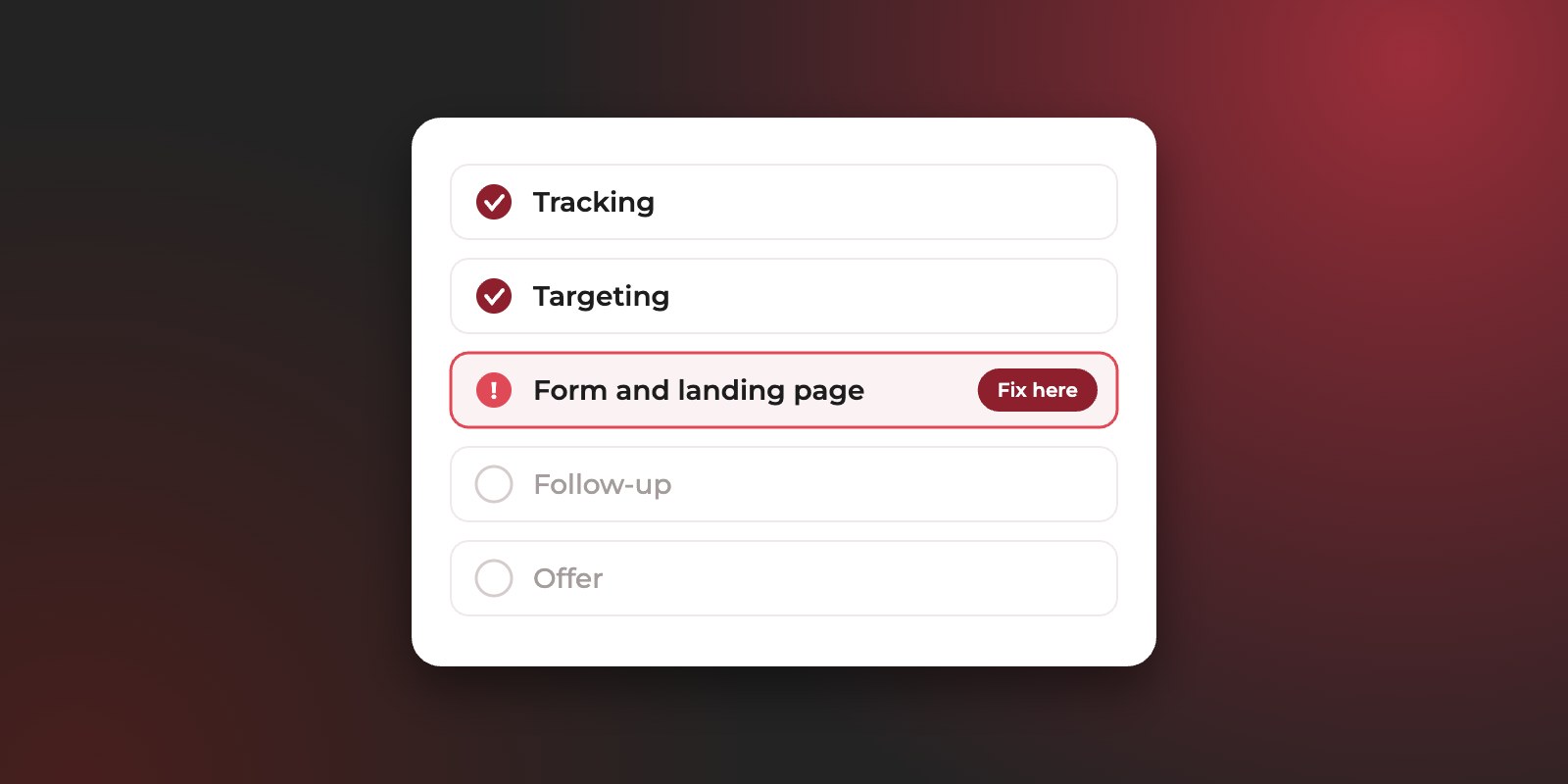
When leads from your ads aren’t turning into customers, in our experience the cause is almost always in one of five places: the tracking is broken, the ads are reaching the wrong people, the form or landing page lets weak enquiries through, the follow-up is too slow, or the offer isn’t landing. Finding which one is the whole job, because each needs a different fix.
The hard part is that every team has a reason to point somewhere else. Sales says the leads are bad. The agency says sales isn’t following up. Both might be partly right, and arguing about it doesn’t tell you what to change.
This guide walks through each of the five causes in the order we check them when a client tells us their leads aren’t converting: what the problem looks like, how to confirm it, and what to fix. At the end there’s a 30-minute checklist you can run yourself.
Where do ad leads usually break?
They break in one of five places, and the order you check them matters. Tracking comes first because every other check relies on it. The offer comes last because it’s only worth questioning once you know the right people are being reached and followed up properly.
- 01Does every lead show its source?If no: fix the tracking
- 02Are the leads the right people?If no: fix the targeting
- 03Are contact details real and reachable?If no: fix the form or page
- 04Is each lead followed up fast and often?If no: fix the follow-up
- 05All yes, and leads still don’t buy?Then: look at the offer
Work down the questions and stop at the first “no”. That’s the step to fix before you change anything else.
Step 1: Is your tracking telling you the truth?
Check tracking first, because every other diagnosis depends on it. If you can’t see which campaign, keyword or ad each lead came from, you can’t tell good campaigns from bad ones, and you may be blaming the wrong thing.
Signs the tracking is the problem
- Leads in your CRM with no source, or a source like “direct” when you know they came from ads.
- Campaign or keyword fields showing odd text such as
{keyword},(not set)or an old campaign name. That usually means a tracking template is broken. - Lead counts in the ad platform that don’t match the number of leads in your CRM.
- Leads arriving late, twice, or not at all after a form or landing page was changed.
- The ad platform counts actions that aren’t enquiries, such as button clicks, page views or brochure downloads, as conversions, so reported leads look higher than the leads your team receives.
How to check your tracking
Pick ten recent leads in your CRM and look at their source details. Then submit a test enquiry through a link with the same tracking parameters as your ads, and see what arrives, then delete the test lead. If the tracking is broken, it usually shows up somewhere in those eleven records.
How to fix broken tracking
In our experience, tracking rarely fails in one dramatic way. It fails quietly: an ad platform’s tracking template uses the wrong syntax, a hidden form field stops passing the click ID, or the automation that copies form entries into the CRM hits a task limit or a character limit and stops. Fix the break, then re-run the test lead after every change to forms, pages or campaigns.
Step 2: Are your ads reaching the right people?
If the tracking is sound, look at who the ads are attracting. Ads that reach the wrong audience produce leads that look real but were never going to buy, and no amount of sales effort changes that.
Signs the ads are the problem
- Sales hears the same mismatch again and again: job seekers, students, people in countries you don’t serve, or people looking for a cheaper or different product.
- Some campaigns or keywords bring in plenty of leads but almost none that qualify.
- Lead volume rose sharply after a change in targeting, bidding or campaign type, while sales didn’t rise with it.
How to check who your ads reach
Sort your leads by campaign and keyword, then compare each one’s qualification rate rather than its lead count. On Google Ads, open the search terms report and read what people actually typed, not just the keywords you chose. On Meta and LinkedIn, check which audiences and placements the leads came from. A pattern usually appears quickly: one keyword, audience or placement producing most of the weak leads.
How to fix poor targeting
Exclude the searches and audiences that bring the wrong people, and move budget toward the campaigns with the best cost per qualified lead, even if their cost per lead is higher. Be careful with broad targeting and automated campaign types: they can find many more leads, but unless the platform knows which leads qualify, it will find more of whatever is easiest to get. Also refresh ads that have run unchanged for a long time: rising costs alongside weaker leads can be a sign the audience has seen them too often.
One caution from our own diagnosis work: a drop in leads isn’t always caused by your ads. When costs rise and leads fall at the same time, check whether more competitors have entered the auction before rewriting ads or rebuilding pages. On Google Ads, the auction insights report shows this.
Step 3: Is your form or landing page letting the wrong leads through?
The right people can still turn into poor leads if the form makes it too easy to enquire without meaning it, or the landing page promises something different from what sales offers.
Signs the form or page is the problem
- Many fake, mistyped or unreachable phone numbers.
- People who don’t remember enquiring when sales calls them.
- Leads that expected a different price, product or location from the one sales discusses.
- A landing page that gets plenty of visits but few enquiries, or a form that gets plenty of enquiries from very short visits.
How to check your form and landing page
Call back five recent leads that didn’t qualify and ask, politely, what they were looking for. Then compare the ad, the landing page and the sales script side by side: do they all describe the same offer, at the same price level, for the same buyer? A session recording tool such as Microsoft Clarity also shows how people actually use the page before they enquire.
How to fix the form and landing page
Add two or three questions your sales team needs, such as budget, timeline or company size, and verify phone numbers with a one-time code where the platform allows it. Make sure the page states the things that rule people out, like starting prices or the areas you serve, rather than hiding them for sales to explain. Check the page on a phone too: long forms, slow loading and missing trust signals, such as reviews or client logos, put serious buyers off. Protect website forms from spam as well: our own contact form receives automated submissions with made-up phone numbers, and without a filter they land in the CRM looking like real leads. In our experience, slow loading is often a site-wide problem rather than one page, and fewer, better enquiries beat more, weaker ones.
Landing page work pays off on its own too. For a real estate developer in the UAE, conversion improvements took the landing page to a 4.5% conversion rate. For a corporate service provider in Saudi Arabia, landing page conversion rose by 50%, to about 3.1%, as part of work that cut the cost per proposal by 75%.
Step 4: Is the follow-up fast and persistent enough?
Good leads go cold quickly. Someone who enquired an hour ago remembers you and is still thinking about the problem. Someone contacted three days later may have spoken to two competitors already.
Signs the follow-up is the problem
- Leads are first contacted hours or days after they enquire, or only during office hours.
- Most leads get one call attempt and are marked “no answer”.
- Leads are only called, even though many buyers in the UAE and the wider GCC prefer to reply on WhatsApp.
- The CRM shows little or no activity on leads that later come back as “bad”.
How to check your follow-up
Pull last month’s leads and look at three numbers in your CRM: the time from enquiry to first contact, the number of contact attempts per lead, and the share of leads that were never reached. Then compare qualification rates for leads contacted quickly against those contacted late. If the fast ones qualify far more often, the leads weren’t the problem.
How to fix slow follow-up
Set a target for first contact, measured in minutes or hours rather than days, and route new leads straight to the person responsible, with an alert. Agree a minimum number of attempts across calls and WhatsApp before a lead is closed as unreachable. A weekly conversation between sales and whoever runs the ads keeps both sides honest: sales shares what it hears on calls, and the ads team shows which campaigns the good leads came from.
Step 5: Are good leads stalling on the offer?
Sometimes the leads are the right people, reached quickly, and they still don’t buy. Then the problem is no longer the ads or the follow-up. It’s what happens in the sales conversation: price, terms, timing or a competitor’s offer.
Signs the offer is the problem
- Leads qualify and reach a meeting or proposal, then stall.
- Sales hears the same objection repeatedly: price, payment terms, delivery time, or a named competitor.
- Qualified lead numbers are steady, but the close rate has dropped.
How to check where deals stall
Look at where qualified leads drop out of your CRM pipeline, and ask sales for the three most common reasons a deal was lost last month. If the answers are consistent, you’ve found the issue.
What to do when the offer is the issue
This is a business decision more than a marketing one, but the ads can help. Ad copy and landing pages can address the most common objection before the first call. They can also set price expectations early, so the leads who arrive have already accepted them. That’s one more reason the people running your ads should hear what your sales team hears every week.
A 30-minute checklist to find the cause
You can run this check yourself with access to your CRM and ad accounts. Work through it in order and stop at the first “no”: that’s where to focus.
| # | Question | Where to look | If the answer is no |
|---|---|---|---|
| 1 | Does every lead from the last 30 days show its platform and campaign? | Your CRM’s lead source fields | Fix tracking before anything else |
| 2 | Does a test enquiry arrive in the CRM with its source intact? | A test lead through a tracked link | Fix the form, hidden fields or automation |
| 3 | Do most campaigns have a qualification rate you’re happy with? | Leads grouped by campaign and keyword | Pause or exclude the weakest; move budget |
| 4 | Are fewer than one in ten phone numbers fake or unreachable? | Leads marked unreachable or invalid | Add phone verification and qualifying questions |
| 5 | Do the ad, landing page and sales script describe the same offer? | All three, side by side | Align the message and state prices or limits early |
| 6 | Is the first contact made within hours, not days? | Time from enquiry to first CRM activity | Set a response target and lead alerts |
| 7 | Does each lead get several attempts, by call and WhatsApp? | Activity count per lead | Agree a minimum before closing a lead |
| 8 | Do qualified leads move through the pipeline at a steady rate? | Pipeline stages and lost reasons | Address the most common objection |
The one-in-ten threshold in question 4 is a rule of thumb, not an industry benchmark. Adjust it to what’s normal for your business once you know your own numbers.
Frequently asked questions
How do I know if my leads are bad or my sales team is slow?
Compare qualification rates for leads contacted quickly against those contacted late. If the leads contacted quickly qualify far more often, the follow-up is the bigger issue. If even those rarely qualify, look at the ads and the form.
What should I agree with my sales team before judging lead quality?
A written definition of a qualified lead, where it’s recorded in the CRM, and who marks it. Without that, “bad leads” means something different to everyone. Our guide to what counts as a qualified lead includes a template you can copy.
Why did my lead quality drop when my lead volume went up?
Usually because the campaigns started reaching a wider audience, through broader targeting, an automated campaign type or a looser form. The platform finds more people who will fill in a form, and not all of them are buyers. Sending qualified lead results back to the platform helps it look for the right people again.
How long should I wait before deciding a campaign isn’t working?
Long enough to have a meaningful number of leads followed up properly, which depends on your volume. Judge it on qualified leads and their cost, not on clicks or total leads, and fix tracking and follow-up first so you’re judging the campaign itself.
Should I change agencies if my leads aren’t converting?
Run the 30-minute checklist in this guide first. If the cause is tracking, follow-up or the offer, a new agency won’t fix it. If it’s the ads, ask your current agency to report cost per qualified lead by campaign. How they respond will tell you a lot.
Want a second pair of eyes on your leads?
Before we launch anything for a new client, we audit the website, check conversion tracking and the CRM connection, and review the campaigns already running. Then we agree with your sales team what a qualified lead means, meet every week to hear their feedback, and optimize your Google Ads, Meta Ads and LinkedIn Ads for qualified leads.
See how our lead generation works, or talk to us about what’s holding your leads back.
Get in touch